In the waves of online identities and our need to communicate, we are having a rebirth of society. Societies functional aspect is beginning to open the door to many avenues of being connected. I have been passing an idea back and forth in my head and it is becoming a common thread in which I revisit quite frequently.
We now have dozens and dozens of possibilities for each of us to experience. Whether you place your status into your communities or participate in geotagging mobile apps you are actively participating in the the new society.
It's not hard to imagine why some people are more into it than others. I mean, for what it's worth, its a bit revealing. I sometimes get a feeling that everyone knows a little too much. Maybe they know more than I would like them to know. I am sure this is true. But this is the exact feeling of insecurity and blinding faith that is driving the social driven communities to thrive so well. It's not so much what you are putting out there but it is more about how much people are interacting. It's a communal therapy session. Good times, sad times and middle times....all shared among friends.
Years ago you couldn't have told me that I would eventually be in touch with just about everyone I have ever met and more. I would have said something crass and levitated to an idea of virtual worlds where everyone is a mask, hiding it all to misinform. Virtual worlds failed because the real thing is much, much more interesting.
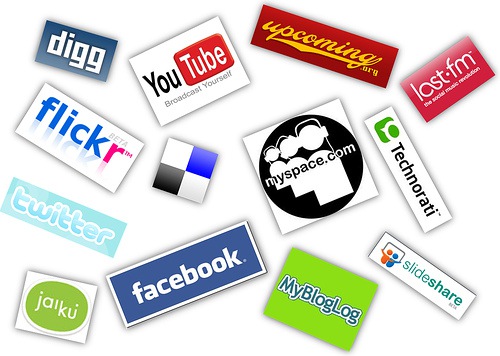
For the most part, participating in the online social arena is a healthy lesson in humility, honesty and altruism. Facebook would not be so successful if people didn't have their own views and their own world revolving around them. If you decide to join in the new society you must make the most of it and this may help.
When I say, "go social, and go all the way", I am merely making a suggestion to lend your hand in building the new society. I have a few ideas to get your foot in the door in a small way. Seemingly so, if you dive into the deep end you may drown in too much information and find yourself a slave to your online ego. Let's begin...
Step 1
Your first thought should be about your audiences. You should have many concerns. One of the most important is your current employer. You family and friends play lightly on your visibility and enjoy your banter but your employer is quite the opposite. Many people have lost their jobs due to excessive posts about extracurricular activities. You are ahead of the game if you already think you should keep your personal life....well.....personal. Be smart.
Step 2
Define your goal. My first experience with online communities were Beta versions of AOL in the mid 90's and all I wanted to do was learn. Many people today chose to just stay connected with family. Others use Twitter to stay ahead of breaking news. Do you want to know something? Chances are that with the right tools and the right amount of interaction you not only have the power to learn, but to participate. It's important to know what it is you want to find by immersing yourself into a new community.
Step 3
Finding the best communities. It is important you allow yourself to enjoy the communities that are already established and fun! Facebook is a great example. It is the benchmark in which most social communities compare themselves to. You can find your friends relatively easy and it will be like playing an old video game you haven't played in years. It's communicating and its fast. Go play.
Step 4
No need to be shy. You are here and you plan on staying around. Speak up and often. It's the sharing of info and news that make it a community. Be helpful and engage people.
Step 5
Relax. Social networking is easy. Your willingness to interact with others should become second nature very quickly. Don't buy into the hype where you need to be on all the time or you will miss something. Keep your personal life and do not try and replace online relationships with in person relationships. It's a new society now but personal friends are close to priceless.
Step 6
Expand who you are. It is your responsibility to be the first person to post something about YOU on the web. Google yourself. Find anything interesting? Well....you should have. The new business card should be a Google search page. No more paper squares. Maybe you don't want to be found. If so, privacy is a concern for any prevalent site. If you can't find a privacy statement then maybe the site you are using is not concerned about it at all.
Last step
Start a blog. Write about your passion. Find people who share these passions. Learn from the new structure of society and be there to help others.
I haven't made any assumptions here about who will read this but if the unassuming social media newbie runs across this entry then I wanted to give them a nudge. I am not saying it is for everyone but there are a few things to keep in mind for the uninformed user.
The biggest tip of all is to be helpful. Your online social presence is a result of your online relationships just as your in person network is a result of your personal relationships. You are in control much as in everyday life. Knowing the difference is a key to thriving in the new society.
Showing posts with label web safety. Show all posts
Showing posts with label web safety. Show all posts
Monday, April 26, 2010
Why You Should Go Social...No, I Mean All The Way
Friday, February 26, 2010
Web Awareness: How To Protect Yourself Against The Web

These tips are provided for users who may have never thought about these type of issues and can be boring for the advanced web surfer but I will keep try and stay short and entertain as well.
First, lets set a few things straight. You are to blame. Your lack of knowledge about computers is what I want to try and drill into your mind. Nothing, short of a blatant hacker who has isolated you for some type of gain or as revenge, is done to your computer without you either acknowledging the action by clicking the mouse or hitting the enter key. Your actions are directly related to being safe on the web. Understanding this, I will give you a few things to think about next time you see a pop-up window or a 'legit' site. Giving you the knowledge to identify 'careless' tendencies and cure these bad habits on the web will keep your computer healthy. It's in your hands.
Being an adventurous soul, as most of us are, we want to see, do and read everything available on the web and there are 'other' people who want prevent this or worse, steal from us. Virus writers tend to be bored, intelligent beings that hold the idea of creating the most unstoppable bug and unleashing it on the world! In other cases, malware coders want your stats. They want your histories of web pages, your tendencies, your intimate details; all to be polled for Ad campaigns. In some cases, these bugs can cause pop-ups or other website navigation issues. In the worst case scenario failure of the computer altogether is possible.
Here is a checklist to better prepare you when using the Web.

- Know Your Sites - Your ability to observe is key. The easiest way to lead yourself astray is to not clearly identify where you are. Sure, everything looks the same and I remember this button and that button. Your familiarity with your daily sites is the most common duplicated feature for attackers to take advantage of.
My policy is to always have the URL (website address) clearly in view. If I am on eBay, I expect to see http://www.ebay.com and not http://iwanttostealyourmoney.net/ebay. Even a less obvious detail would be to find yourself looking over a URL that says http://www.ebaysite.com. You are indeed on the wrong site and need to leave this page immediately.
- Clicking Your Mouse - Your mouse and keyboard are really to blame. Some time ago, many browsers began supporting security features that prevented any action to take place on your computer without you first giving permission. This is a tricky subject. For example, how do you know when you give something permission to carry out an action on your computer? Most attackers choose this ambiguous notion to misguide users to do things they normally wouldn't do. If you have been presented with a pop-up that says, "My Site would like to do something. Please click OK or Cancel." You may find yourself unsure what is about to happen and rightly so.
As a web developer I know I can tie malicious actions to either the OK or CANCEL buttons so this is a no-brainer; close the window altogether. If you "know this site" and all is well, then go forward with your action. Otherwise, leave the browser immediately and mentally high-five yourself; you may have just saved your computer!
- Protect Yourself - It's a little late in the game to say you can't afford virus/malware protection because there are several leading edge applications that are FREE and very useful. AVG, Microsoft Security Essentials and Spyware Doctor are just a few that can help prevent the little nasties from your computer. However, anti-virus software does not protect against YOU installing something you are not 100% sure is safe. Frequently, attackers hide bugs in files that look like valid files. What to do? When it doubt, delete it out!
I am always asked by friends and family who have 'unknowingly' obtained a nasty bug and my first question is always, "What did you last install?" Ha! Don't shrug your shoulders. If you can't remember what you are installing on your computer, then you shouldn't be installing anything on your computer. Screensaver packages, background wallpaper generators and unmonitored free software (in general) are breeding grounds for new malicious software creators. This leads me to my next point!
- Researching Software - Be smart, computers are awesome tools and can do great things. Read about your software first and look for peer reviews. If you find no information, then this is usually a bad sign. No information is bad information. Good, healthy software applications have robust descriptions and reviews mainly because their writers have paraded their new vision or new tool to many people. The reviews can be numerous and whether positive or negative immediately may show signs of malicious actions and consumer complaints.
How do I research software? Google it. Again, no search results means pass by this software. Special cases include you knowing the person, or team who developed the site.
- Spam - Your email inbox is an open invitation for anyone to contact you about sex medication, narcotics, russian brides, western union scams and just about everything you don't want. It's amazing the amount of Spam that is blocked before it hits your inbox. Millions upon millions an hour get cut off before it gets to you. So, what do you do? You don't open anything unless you are expecting it or you know the sender. Everything else is white noise and should be 'Marked' as Spam for future filtering purposes.
You can also help in building trust with your friends and family by not forwarding Spam. For example, other people's ideas on "How to prevent a heart attack by coughing" or "Skyway to Heaven"(untrue explanation of Disney ride) are considered Spam. Do you ever wonder why some people never reply to these? Because they don't read them. Help all your friends, including me, by sending only pertinent messages that you expect replies to. If you are the one forwarding me emails with "FW:FW>>>FW:FW:" in the subject line I will not open. Matter of fact, the priority in which I open and respond in has now sent you to the bottom. I understand you are trying to help. I understand you want to help others but by forwarding false information you are lowering your value as an email contact and this could cause issues in the future.
- Simulated Actions - Twice today, I have already been in contacted by two people who have been duped into downloading Software to help "clean" the bugs supposedly reported. I have seen this so let me explain. Out of no where, a window pops up and the status, address and navigation toolbars are hidden and it looks like a valid Windows application. Some cogs spin and a progress bar about half way down the window shows progress. Alongside the progress bar a counter is increasing and the number is alarming. Add to the fact that beside this rising number is the term "Security Risks." Immediately, everyone is alarmed. Even me. BUT, I quickly see this is a web page designed to simulate something real so I think I am in imminent danger. How tricky is that? There are some smart people out there trying to spread their bugs.
Be careful to take your time to make decisions that could penetrate your computer. This simulated action is going around fast because it states you must make a decision or your computer will be no good anymore. That is simply not true.
- Backups, Backups, Backups - Do this today. You will eventually download and install a virus. The ideas of trickery and misleading designs are getting stronger and smarter. You will use your back up several times PER computer. Yes, you will own more than one computer and you data collection will grow as you move to each new system. It is imperative your data is transferable and backed up regularly. It's just smart. Don't let those 11 years of digital photo albums get erased by a bug that you, yourself, downloaded.
Some of these are basic ideas that can help even a novice computer user. You need to be the responsible one in the relationship. The computer will not install a virus or download a malware program by itself. Understanding that you are the gatekeeper can be a powerful tool in helping you navigate web.
Good luck out there!

Subscribe to:
Posts (Atom)